Stop taking notes. Just listen.
Cathedra records the lecture and turns it into text on your iPhone. Every line is timestamped — tap one to hear exactly what was said.

How it works
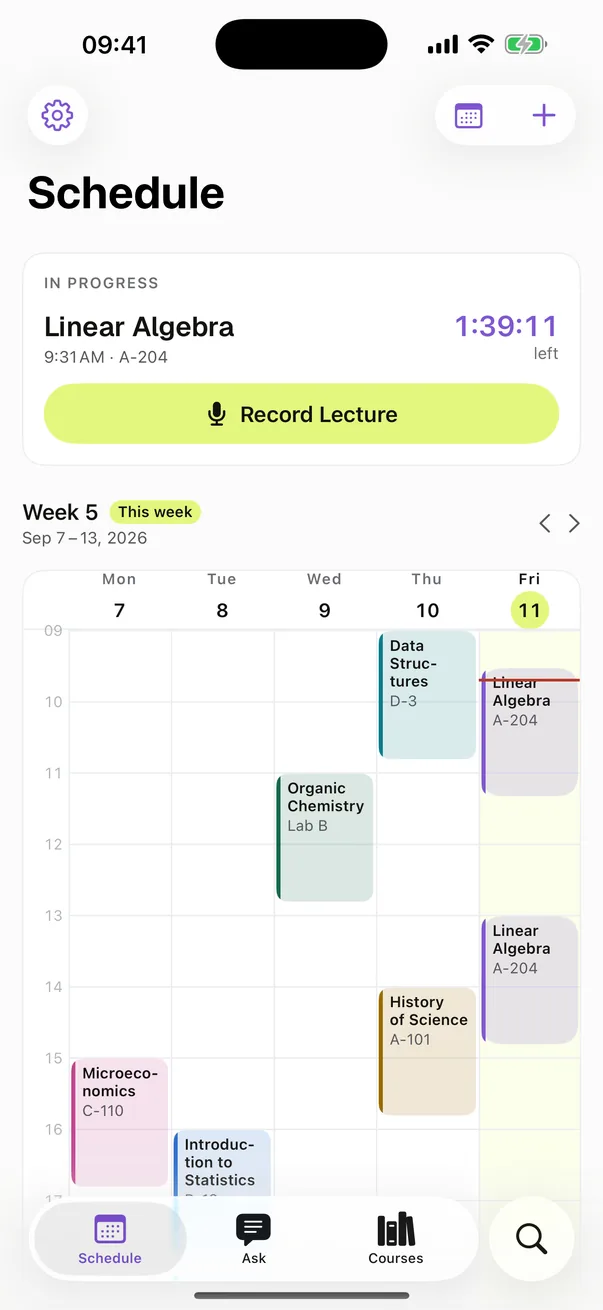
Add your timetable
Type it in, or import it from a calendar already on your iPhone. Terms, courses, class times, rooms.
Record from the Lock Screen
A reminder arrives a few minutes before class with recording one tap away. Lock the phone and leave it on the desk.
Read, search and ask
Every line is timestamped. Search the whole semester. Ask the course a question.
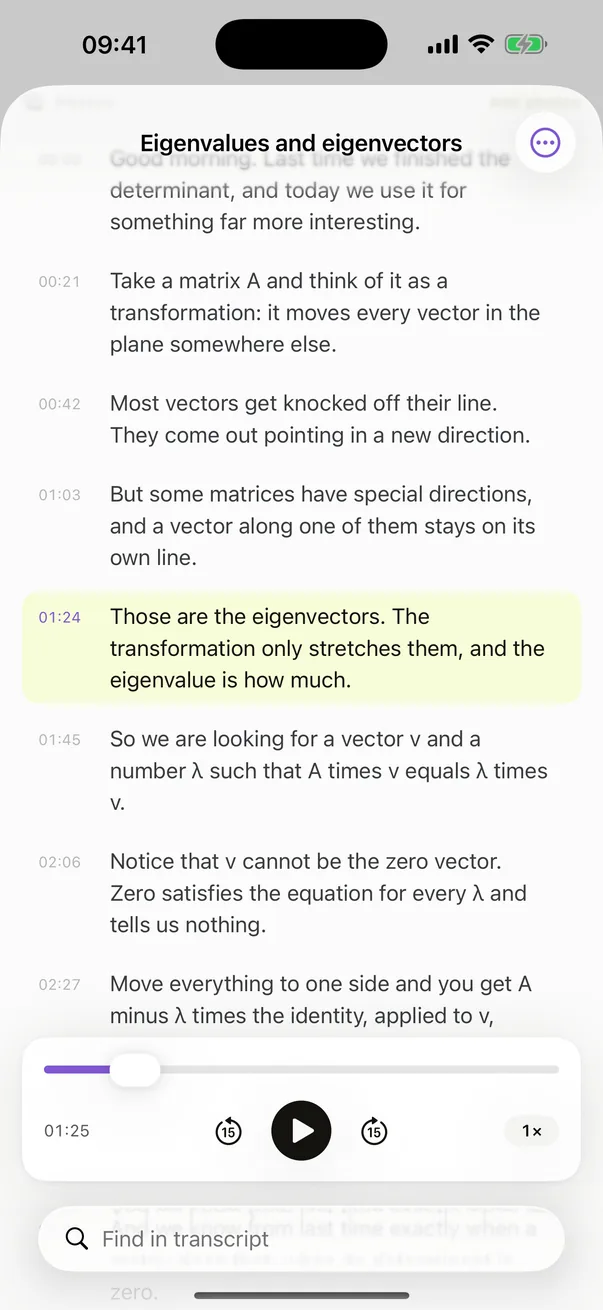
Read it back afterwards
Every recording becomes a timestamped transcript. Tap any line to hear exactly what was said at that moment, so you never have to trust the text over the audio.
- Tap a line to hear it
- Play back at up to double speed
- Lines the recogniser was unsure of are marked
- The original audio is always kept
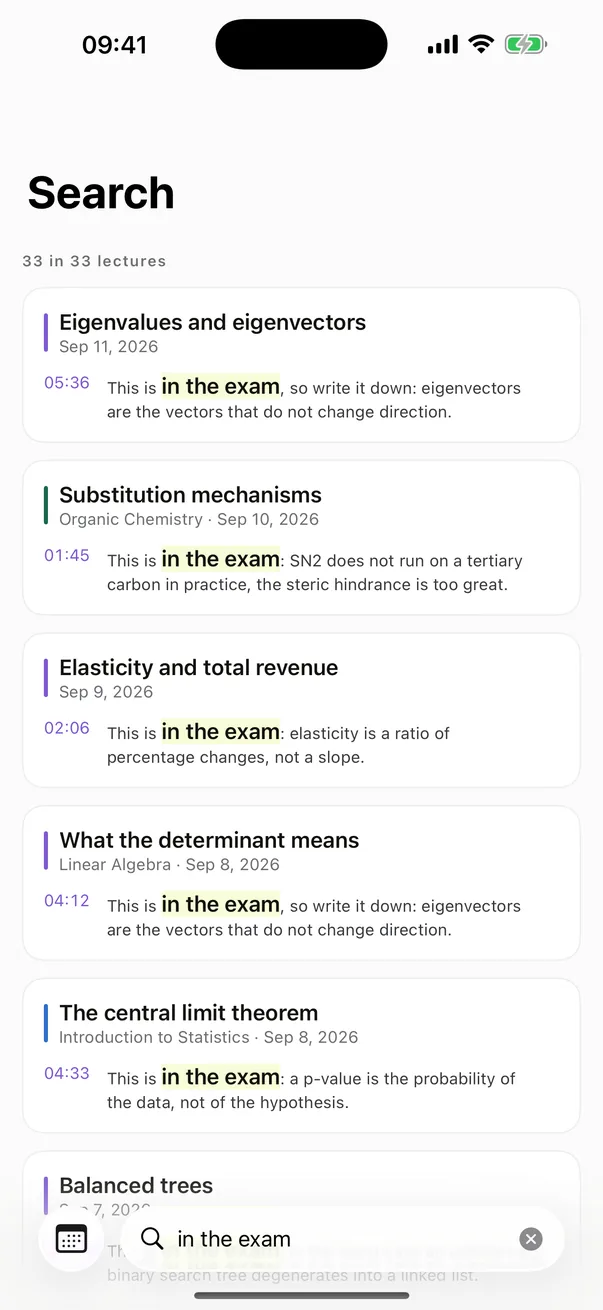
Find every “this is in the exam”
Search the full text of every lecture you have recorded this term. Type a term and see every moment across the semester where it came up.
- Full text, every lecture, one search
- Each result carries its lecture and its moment
- Tap a result to hear that line
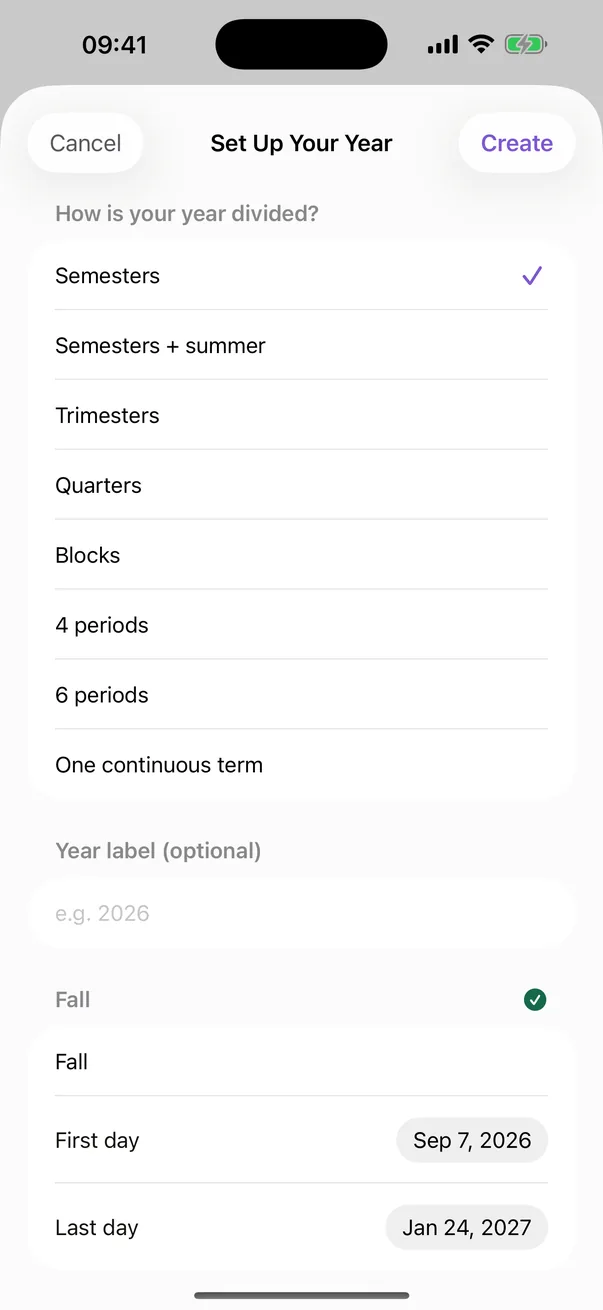
However your university divides the year
Semesters, trimesters, quarters, blocks, Dutch periodes, or one continuous year. You set the dates yourself, because no two institutions agree on them.
- Import a timetable from any calendar on your iPhone
- Several class times per course, each with its own room
- A reminder before each class, with recording one tap away
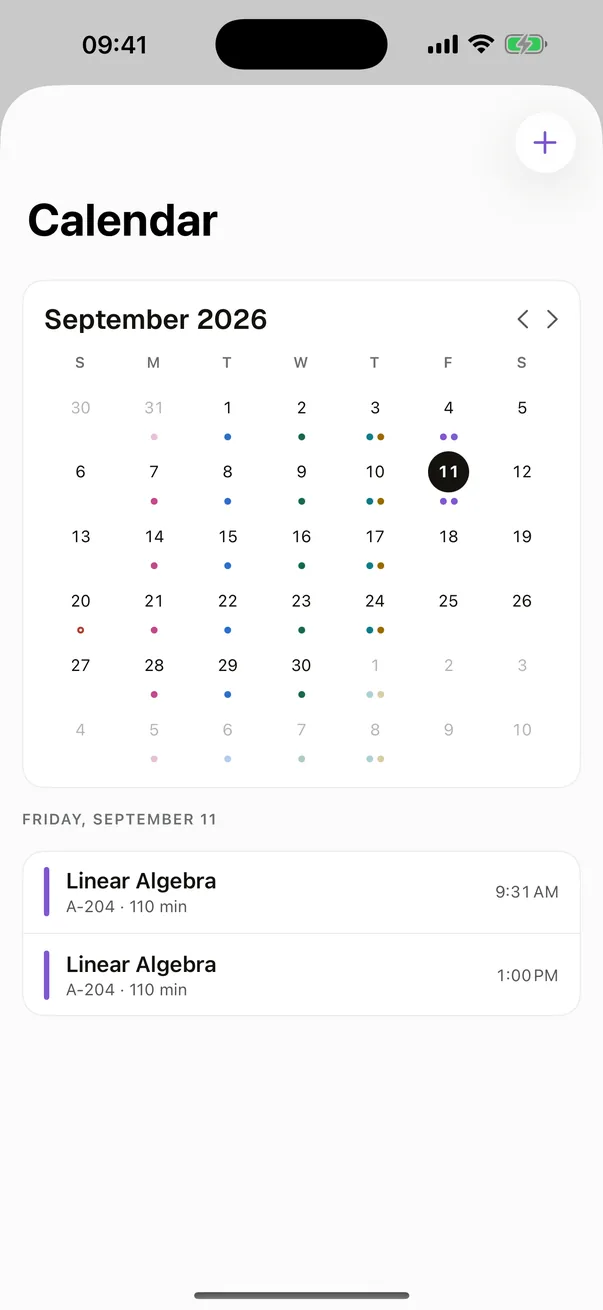
Classes and exams, one calendar
Your classes, your exams and your deadlines in a single month view. Mark a class as cancelled and its reminder goes with it.
- Cancel a class, schedule a make-up
- Export a course to the iPhone Calendar
- A Next Class widget on the home screen
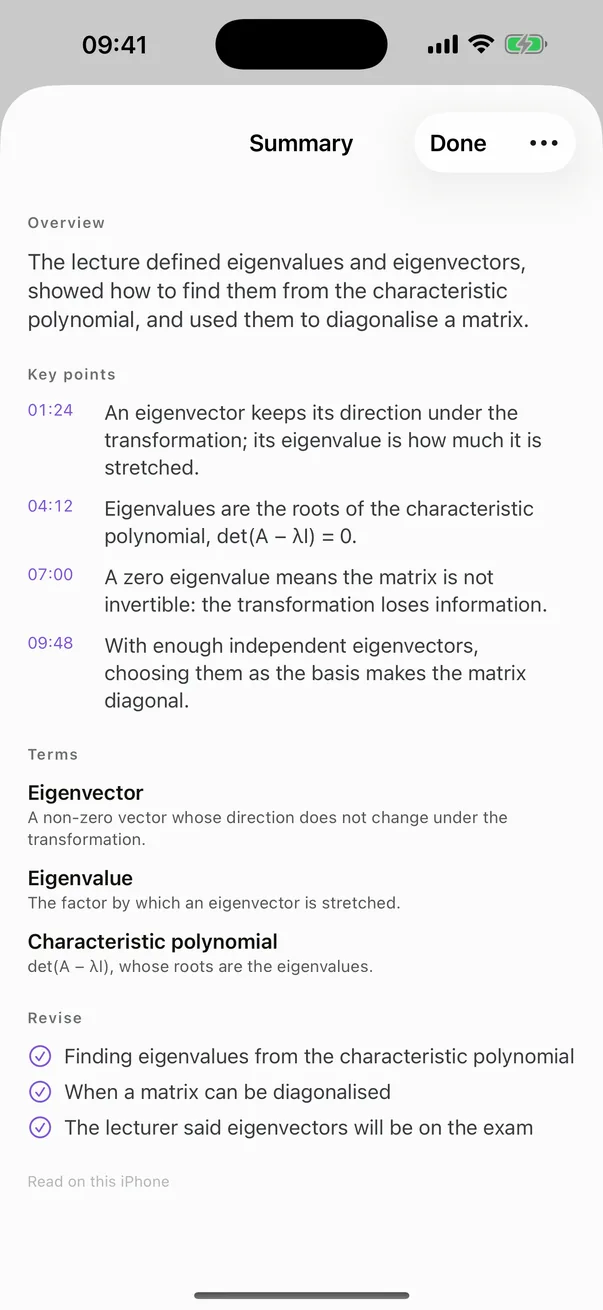
Every lecture, filed by course
A summary written on the device, flashcards that come back when you are about to forget them, the moments you marked during class, photographs of the board, and the lecturer's slides lined up with the recording.
- Summaries written on the device
- Flashcards with spaced repetition
- Photographs of the board kept with the lecture
- PDF slides attached to the course
More than 40 languages, all on your iPhone
Set the language your lecturer actually speaks, per course. Cathedra uses your iPhone's own speech recognition, which covers more than forty languages. The interface itself is translated into 22.
- Transcription runs on the device
- A language pack downloads once, and carries no audio
- A stretch spoken in another language can be re-read in a language you name
Ask the course a question
Cathedra AI reads your own transcripts and answers from them. Every answer says how much of the course it read.
What did he say would be on the exam?
He named the exam three times: once in week 3, twice in week 11.
from 9 of 12 lectures
- A question about a whole course, answered from its transcripts
- A question about a single lecture
- A question while the lecture is still being recorded
- A quiz from a lecture
- A transcript translated into your language
- A slide, a whiteboard or a syllabus read for you
Optional. Everything above works without it.
Where your lectures live
Courses, timetables, transcripts, summaries, cards and your Ask threads sync through your own iCloud. The audio recordings stay on the iPhone that recorded them, because a term of audio would fill an iCloud.
The app needs no account. An account is optional and an email address and nothing else; signing in on the iPhone keeps a copy of your courses and transcripts in it — never the audio — so you can read them here. No advertising, no tracking and no third-party code in the app — and usage data that carries nothing saying who you are, switched off in Settings.
The AI features are the exception. When you ask a question, the relevant transcript text is sent through our own server to DeepSeek, the AI provider, so it can answer. One thing happens without being asked: when a lecture has been written down, the phrases that sound misheard — not the lecture — are sent to be checked, so the transcript says what your lecturer said. Where it goes is in the privacy policy you accept when you sign in, and Cathedra AI is off with one switch in Settings. Your audio recording is never sent, and our server writes no lecture content to any log.
What it costs
Recording, transcription, search, the timetable and everything around them are free, with no time limit. Cathedra AI is a subscription.
Free
€0Forever, with no time limit.
Cathedra AI Pro
$69.99 a year · $11.99 a monthEvery AI feature, for one term or one year.
Cathedra AI Max
$149.99 a year · $24.99 a monthThe same, and the larger model for questions that span a whole course.
Monthly plans start with a one-week free trial, yearly plans with a one-month free trial. Prices are shown in your country's currency — the same as in the App Store.
Questions
Does it work without a signal?
Recording and transcription run on the iPhone, so both work with no connection at all. The first time you transcribe a new language, iOS downloads that language's speech model once — you can do that in advance from Settings, Language Packs. The AI features need a connection, because the question is answered elsewhere.
Can I read my lectures on a laptop?
Not today. Cathedra is an iPhone app, and your courses, timetable and transcripts sync between your own Apple devices through your iCloud. There is no web version and no Windows or Android app.
Is it legal to record a lecture?
That is decided by the law where you are and by your university's rules, and checking is your job. Many institutions allow recording for personal study and prohibit sharing; some ask you to get permission first. The app says this once, before your first recording.